
#Apps and instances
The Apps capability is where a project keeps track of what it runs. This page explains the three words the other pages in this section rely on: app, instance and sigil.
Apps is the Deploy and watch apps capability, in Settings ▸ General ▸ Capabilities. Each thing it does is an option you turn on when you need it. See Capabilities.
#What you can do with it
| You want to | Option | Works with | Page |
|---|---|---|---|
| Know when a site, a port or a nightly job goes down | Healthchecks | Anything with an address | Healthchecks |
| Run services from a Compose file on your server | Stacks | Any Compose file | Stacks |
| See visitors, page speed and errors | Track apps | Apps built with Alepha | Telemetry |
| Build, deploy and roll back from Lore | Deploy apps | Apps built with Alepha | Deploying an app |
Healthchecks and stacks need nothing from this page: go straight to theirs. The rest of this page is for telemetry and deploys.
#An app is a name, an instance is a copy
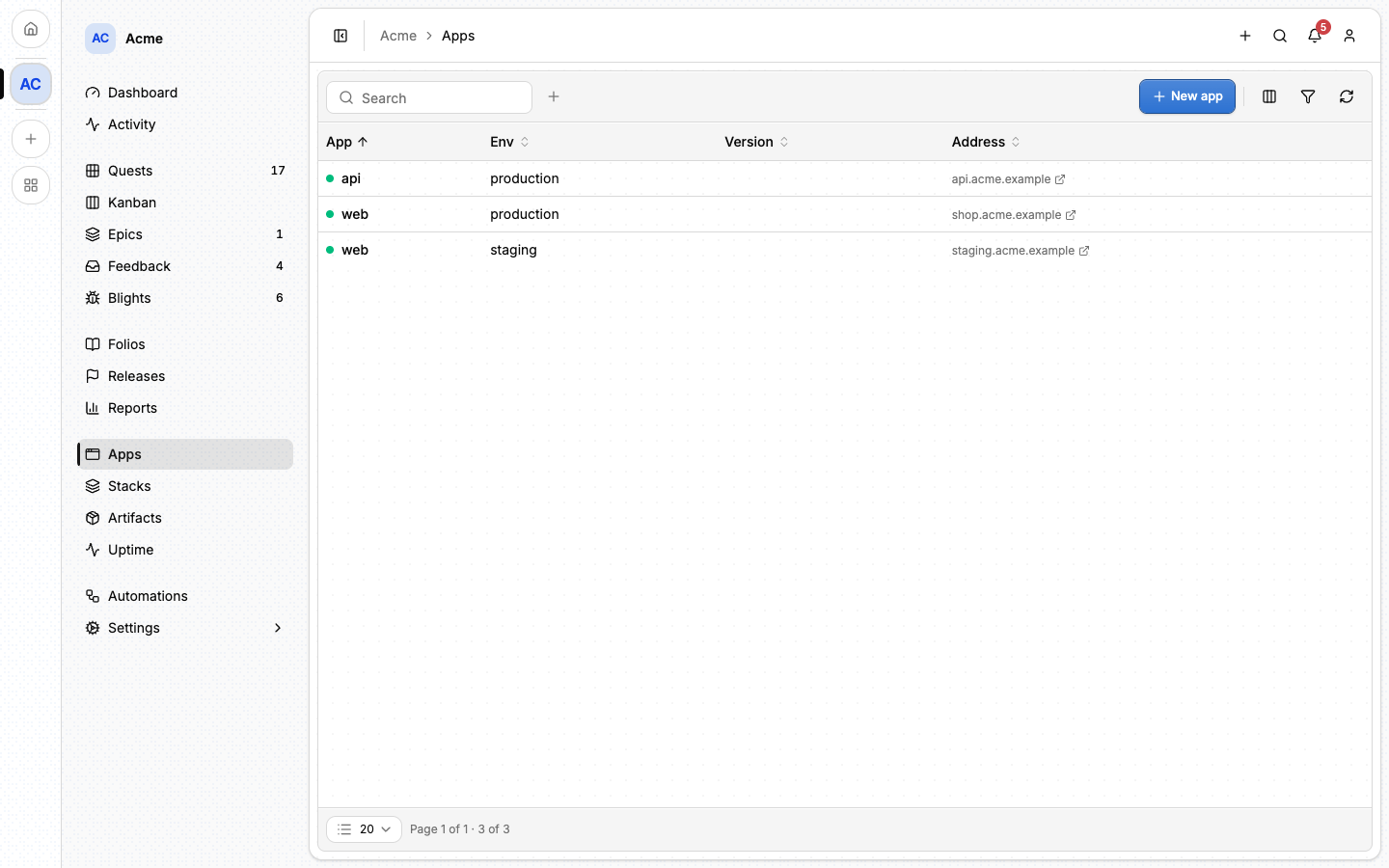
An app is just a name: web, api, docs. What Lore keeps is one
instance per deployed copy of it: the app in one environment, written
web/production.
The environment is a free label, not a fixed list. production and staging
are the usual ones, but eu-production, pr-1841 or a customer's name work
the same, and how finely you slice is your decision.
The project's Apps page lists every instance.
#Adding an instance
- Open Apps and choose New app.
- Under App, pick an app you already have or type a new name (lowercase letters, digits and hyphens).
- Under Environment, name the copy.
- Tick Create a sigil too if this copy will report telemetry.
Creating an instance records that a copy runs somewhere. It changes nothing outside Lore. An instance's page then offers three optional next steps, and each one unlocks something:
| Step | What it is | What it unlocks |
|---|---|---|
| Create a sigil | The key this copy reports with. | The Analytics, Vitals, Errors and Explore tabs. |
| Pin an address | Where this copy lives, if it will not say itself. | A link to it, and a healthcheck prefilled. |
| Choose an estate | The machine or account this copy deploys to. | The Deploy and Environment tabs. |
#The sigil
A sigil is the credential one instance reports with. You create it from
the instance's Settings tab, or with the instance itself. Its token is
shown once: paste it into the app's configuration as SIGIL_KEY.
Telemetry explains the wiring and what is sent.
One sigil belongs to one instance, so web/production and web/staging never
mix their numbers.
⚠️ Removing a sigil removes what that instance has reported: its views, vitals, visitors and errors leave the project. If a token has leaked, rotate it instead. The app stops being accepted with the old token at once, and all its history stays.
#An instance's page
An instance's page has one tab per concern. A tab appears when there is something behind it.
| Tab | What it shows |
|---|---|
| Overview | Its address, its last report, and what it sends beside what Lore accepts. |
| Analytics | Visitors and page views. See Telemetry. |
| Vitals | Web Vitals, per page. |
| Errors | The errors this copy reported. |
| Explore | The raw data, to slice by hand. |
| Artifacts | The builds kept for this app. See Artifacts. |
| Deploy | Deploy and roll back. See Deploying an app. |
| Environment | The variables and secrets the copy runs with. |
| Settings | Its names and address, its sigil, and the estate it deploys to. |
#From the command line
lore sigil create -p acme --app web --env staging
lore sigil list -p acme
lore sigil create creates the instance when it does not exist yet, and prints
the token once. See The lore CLI.
#Next
- Telemetry: wire an app and read what it reports.
- Healthchecks: watch an address from the outside.
- Deploying an app: ship a build to a machine you own.
- Estates: the machines themselves.