
#Errors
An error is one distinct failure, counted across every report and every instance of the project: the same crash a thousand times is one row. The project's Errors page is the inbox where your team triages them, and each error has a page of its own where you read it, talk about it and decide.
Errors come from three places: an app that reports them with its sigil (see Telemetry), a monitor whose target is down (see Healthchecks), and a use case run whose criterion failed (see Verify). The entry appears in the sidebar once an instance collects errors, or while an error is open.
#The inbox
The inbox shows the open errors, the highest count first, each with its app, the page it happened on and when it was last seen. The Status filter also shows the resolved ones, and the ones forwarded to a quest.
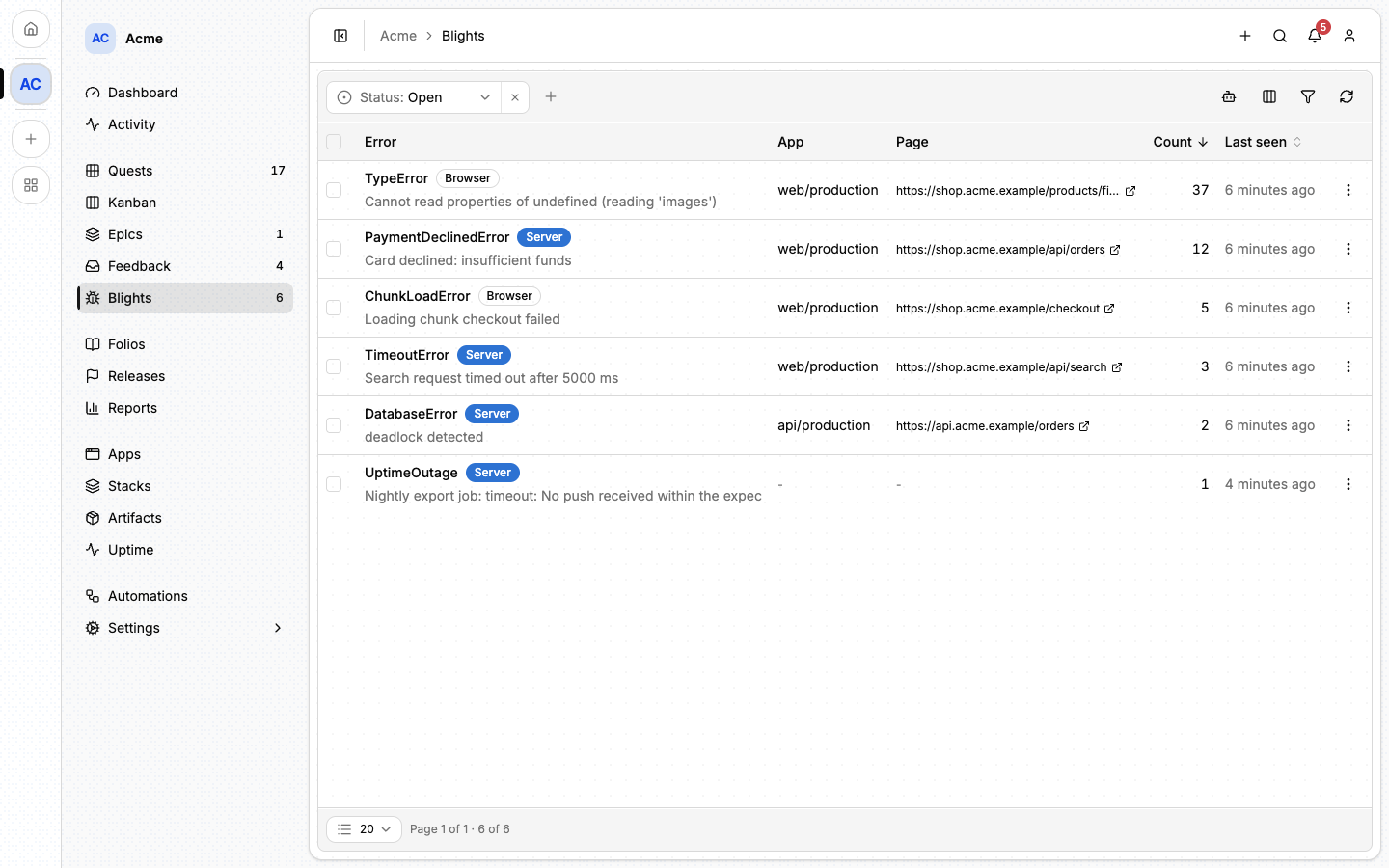
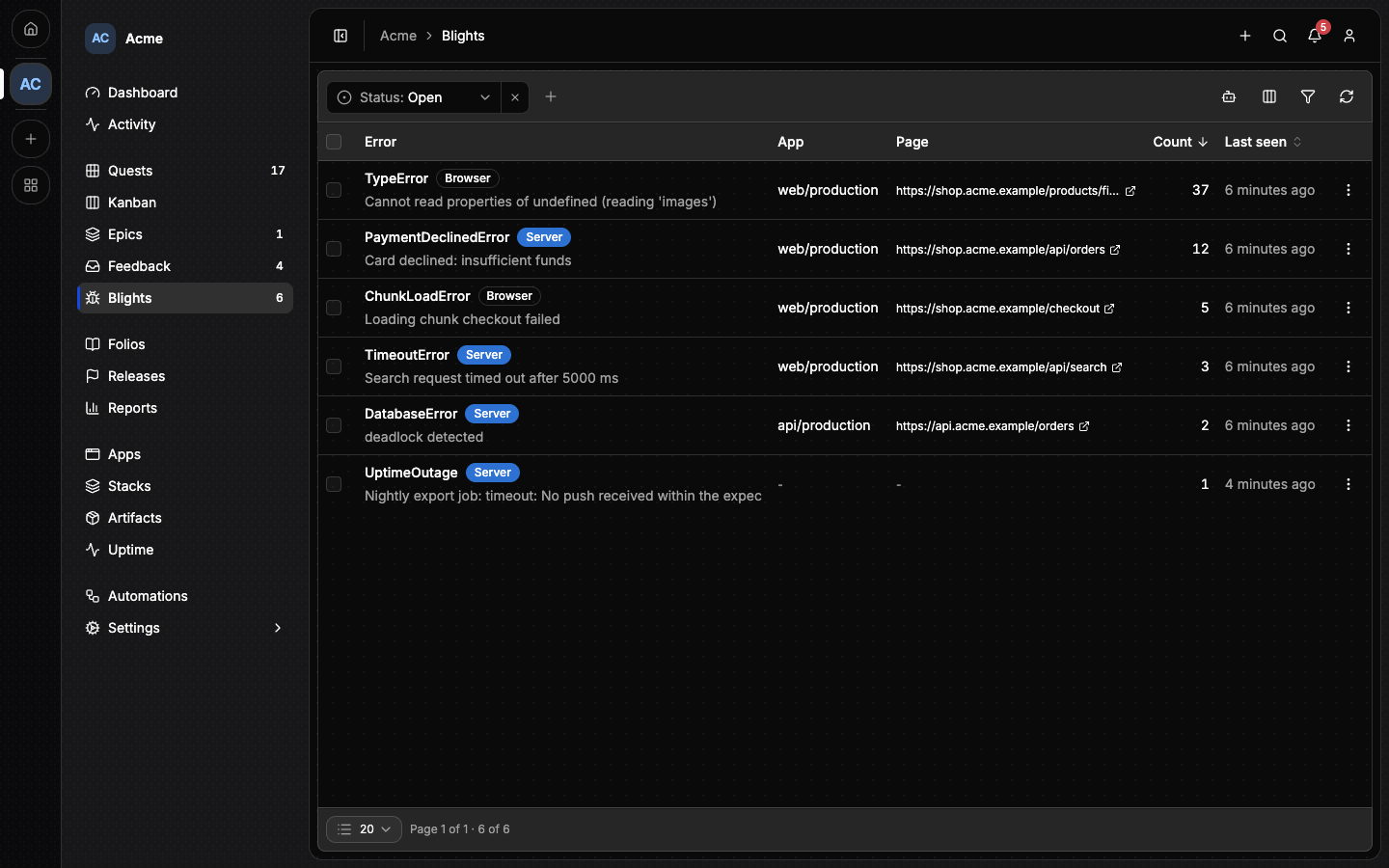
Each row says where the error came from (Browser, Server or Use case run; an outage reads Server here, and its page names its monitor) and where it stands. A green check means agents may read it, an orange warning that it still waits for a member's trust (see Trust).
When a call from the browser to the app's server fails, the browser error
names the action that failed (listPrompts: Internal Server Error), and each
action is its own row. When the server reported the same request too, the
browser row says Caused by server error #N and the server row Caused
browser error #N: click it to open the other one. The link follows the
newest report of each, so it shows while the two last failed on the same
request.
Click an error's name to open its page. A row's menu holds the verbs you can use without opening it: Trust, Resolve, Forward to quest and Delete. Select rows and use Delete selected for up to 200 at once.
#An error's page
Every error has an address, /<project>/errors/<number>, that you can send to
someone. The arrows at the top walk the open inbox in its order.
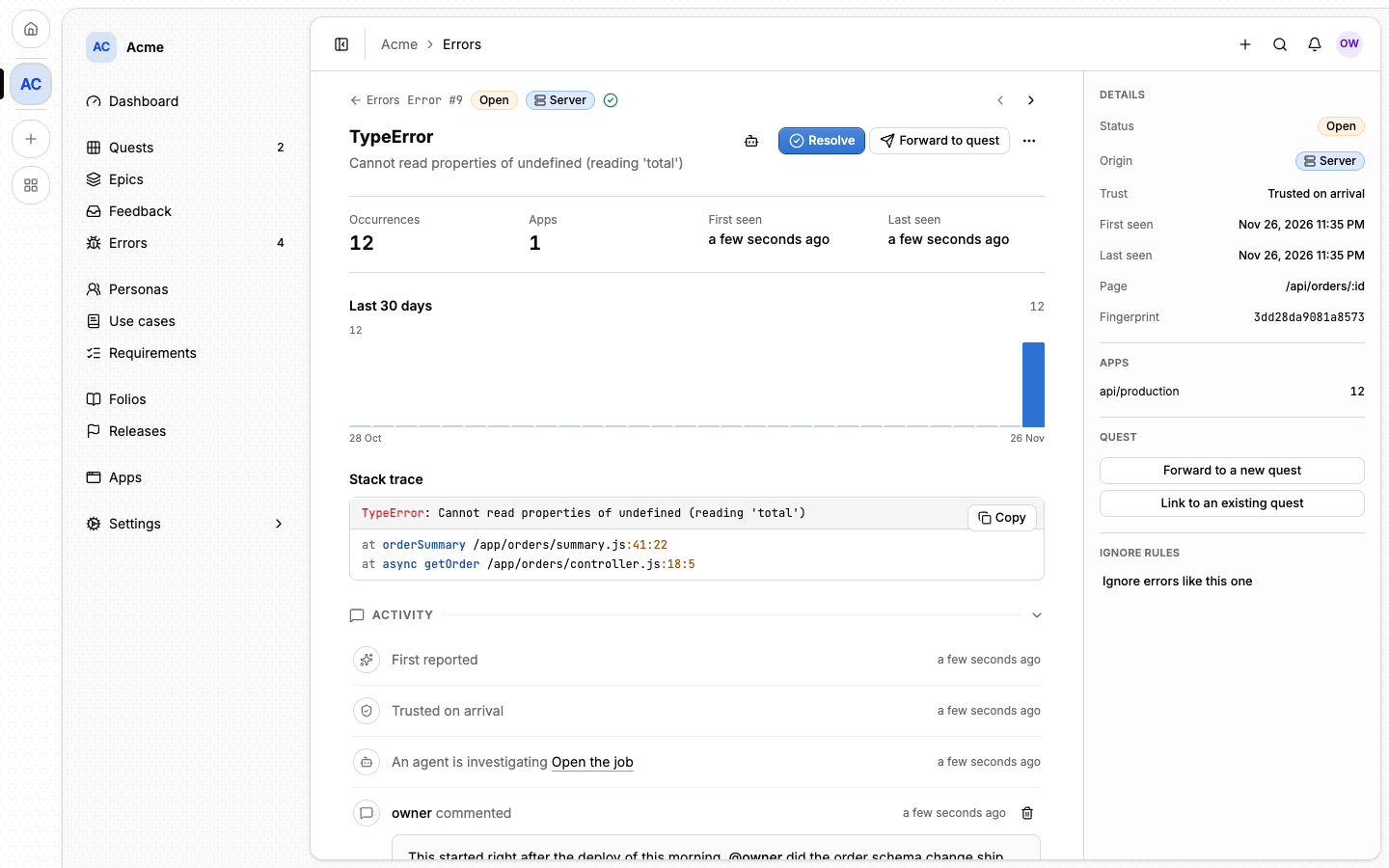
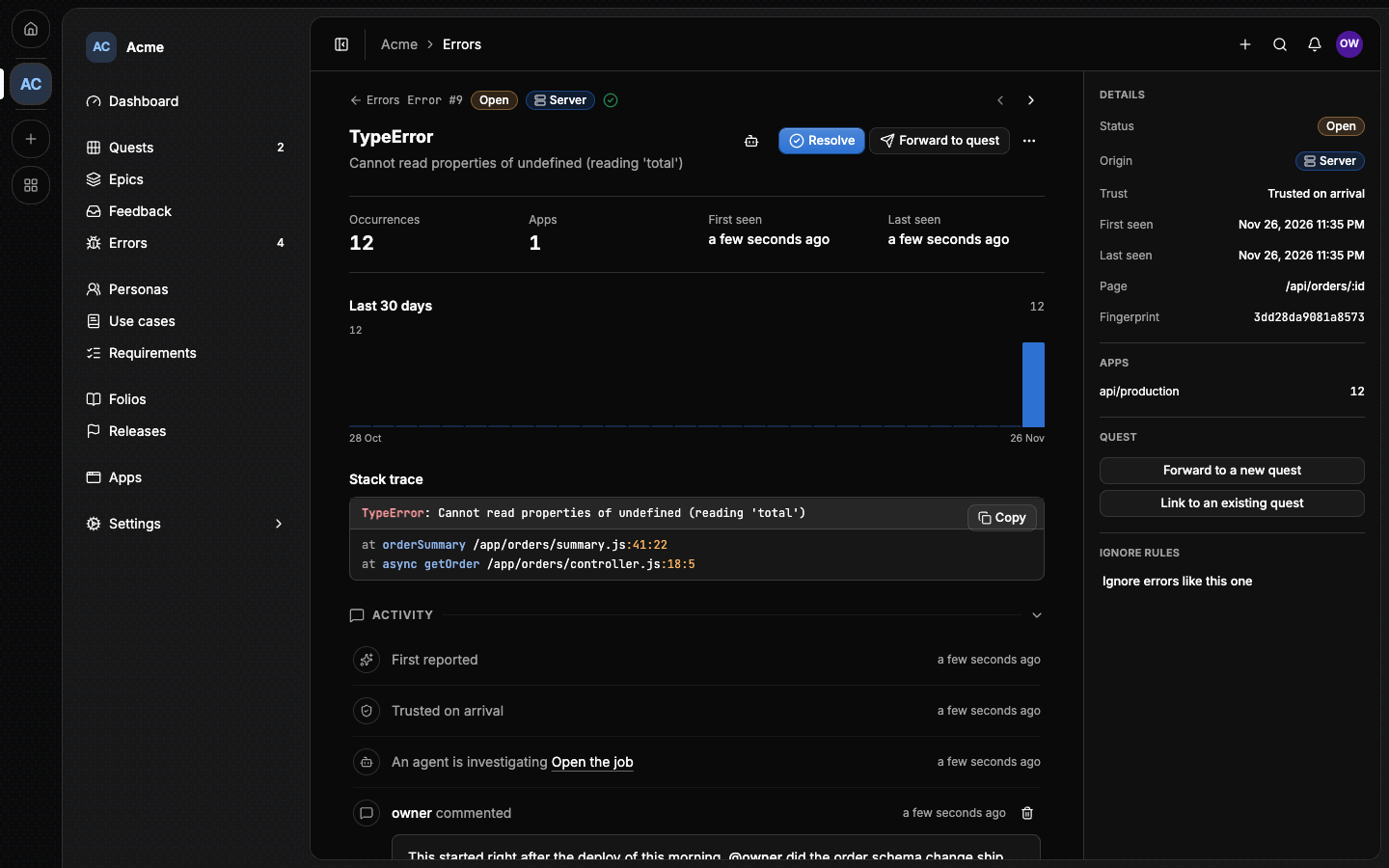
From top to bottom:
- Where it stands: its number, its status, where it came from and its trust.
- The counts: every occurrence reported, how many apps reported it, when it was first and last seen.
- Last 30 days: the occurrences of each day, as the apps reported them, with the project's deploys marked. A failure that starts on the day of a deploy shows here. An outage and a use case run error have no chart: nothing counts them per day.
- Stack trace: the stack of the newest report, with Copy.
- Activity: its history and its discussion (see The thread).
The side panel holds the details: the page and the route it happened on, its fingerprint, each app that reported it with its own count, the error on the other side of the same request, the quest it was forwarded to, the ignore rules its message matches, and the use case or the monitor behind it when it has one.
⚠️ An error's name, message, stack and page come from the app's runtime, and anyone using the app can shape them. Lore shows them as plain text everywhere, never as formatted text or a link.
#What you can do with an error
- Resolve closes it once the failure is fixed. Lore does not reopen an error an app reports: a later report raises its count and leaves it resolved (see Seen again).
- Forward to quest turns it into work. Forward to a new quest creates a quest carrying the error's name, message and stack, linked back to the error, in the Errors area. Link to an existing quest asks for the number of a quest already filed, and links that one instead. Either way the error leaves the inbox, and cannot be forwarded twice. Forwarding needs the Plan capability too.
- Trust and Withdraw trust decide whether agents read it (see Trust).
- Ignore errors like this one opens the project's ignore rules with the error's message filled in. A rule is a piece of a message, matched whatever the case, and matching reports are dropped as they arrive. What the inbox already holds stays, for you to delete. The rules are also in Settings ▸ Plan ▸ Errors, under Ignore rules.
- Delete removes the error for good, in any status, after a confirmation. Unlike resolving, it decides nothing about the future: the same failure reported again arrives as a new open error.
Reading errors needs error:read, which the default Member rank holds. Every
verb above needs error:triage, which the owner holds and a rank can be
given.
#When the quest is deleted
A forwarded error counts as handled. If its quest is then deleted, Lore hands the error back: it is open again, and can be forwarded again. Otherwise a failure nobody is working on would stay hidden behind a quest that no longer exists. Shelving or completing the quest changes nothing.
#The thread
Under Activity, an error keeps one timeline, oldest first: what happened to it, and what was said about it.
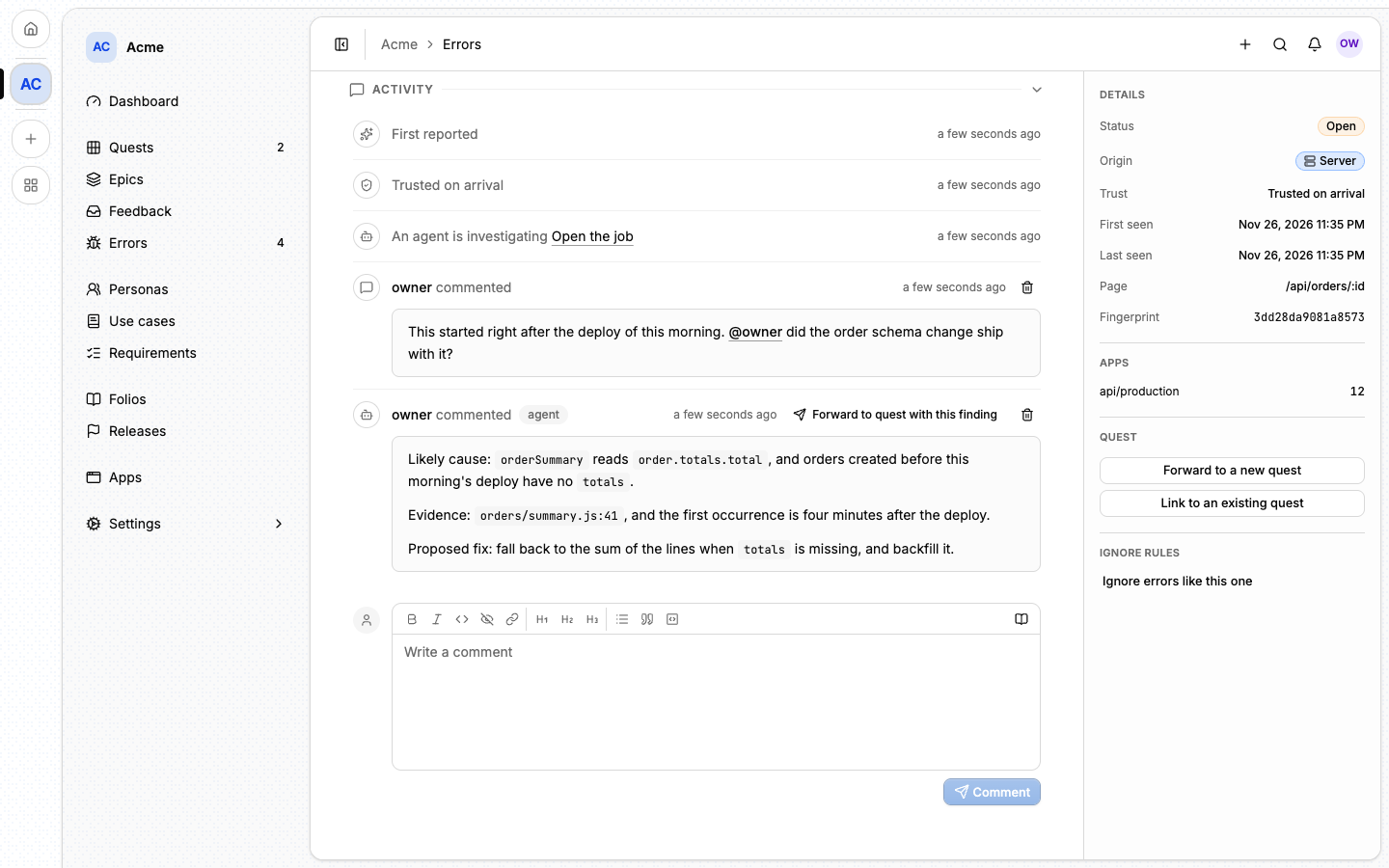
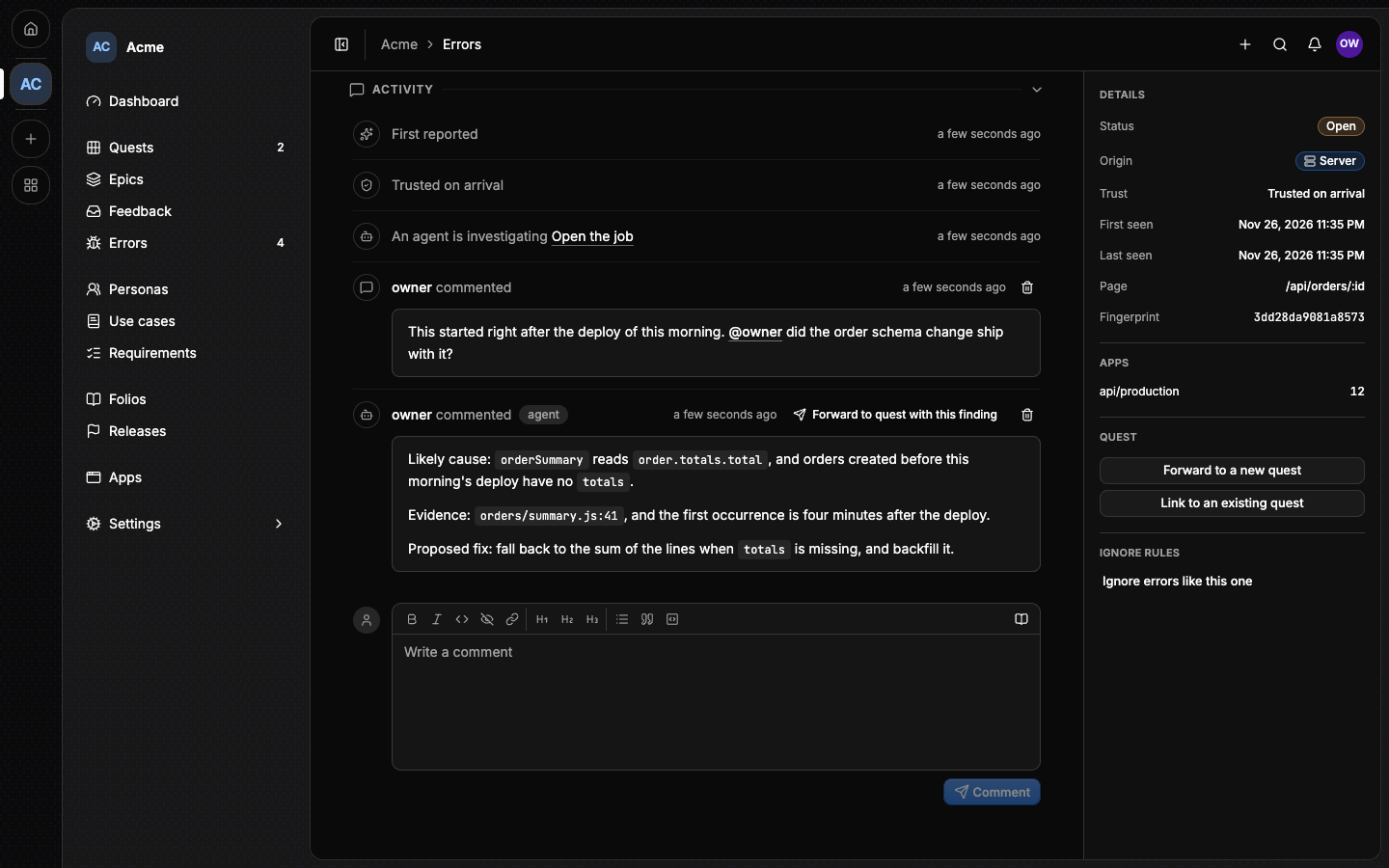
The history is written by Lore, one line per change:
| Line | What happened |
|---|---|
| First reported | The first report arrived. |
| Trusted on arrival | A server error an app reported: agents may read it. |
| name trusted this error | A member read it and let agents in. |
| name withdrew the trust | A member closed it to agents again. |
| name resolved this error | A member closed it. |
| name forwarded this error to a new quest | A quest was created for it. |
| name linked this error to a quest | It was attached to a quest already filed. |
| Lore reopened this error: its quest was deleted | The quest it was forwarded to is gone. |
| Lore resolved this error: a run passed | A use case run error whose criterion passes again. |
| Lore reopened this error: a run failed | The criterion failed again after a resolve. |
| Lore resolved this error: the monitor recovered | An outage that ended. |
| Lore reopened this error: a new outage started | A new outage of the same monitor. |
A line with a member's name is something that member did. A line that starts with Lore is something Lore did by itself.
Below the history, anyone who can read errors can comment, in Markdown:
is this noise or real, which deploy brought it, should we ignore it. Triage
stays with those who may triage. @name reaches a member: they get a message
in their inbox with a link to the error, which names it by its number and
its kind and never quotes its text. #Q12 links a quest. You can delete your
own comment, after a confirmation.
A comment written by an agent carries an agent mark, whoever's account the agent works under.
The thread belongs to its error. Deleting the error deletes its thread, and so does the purge of open errors nobody has seen for a while (see How long errors are kept).
#Trust
An error's text is written by the app's runtime, and a browser error by whatever runs in a visitor's browser. An agent that read it as instructions could be steered by a stranger. So:
- A browser error waits for a member. Until someone trusts it, no agent reads it: it is absent from what an agent lists, and refused when an agent names it. Its page says No agent reads this error yet, with the Trust button for a member who may triage. An outage and a use case run error wait the same way.
- A server error an app reports is trusted on arrival, since it comes from your own server.
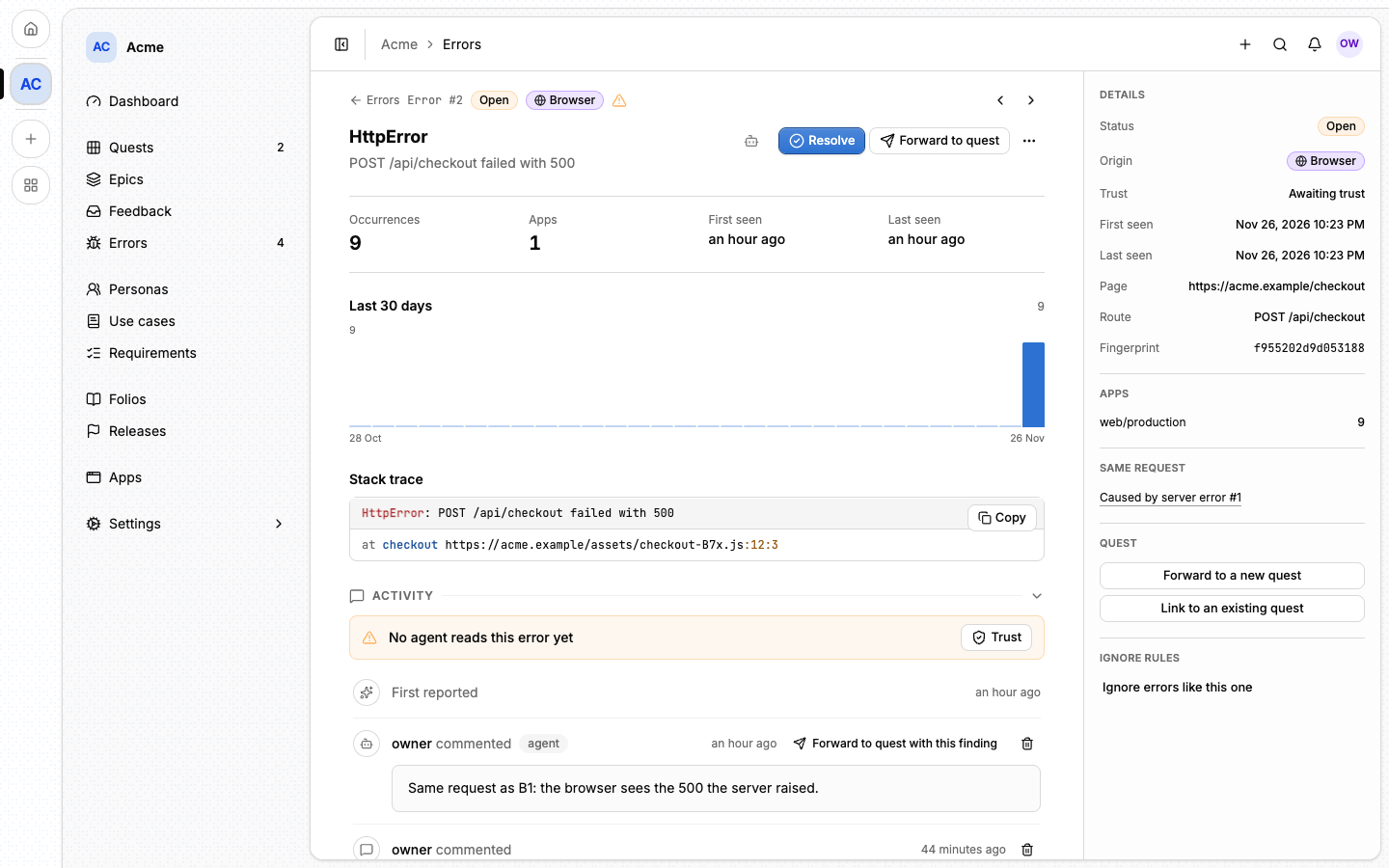
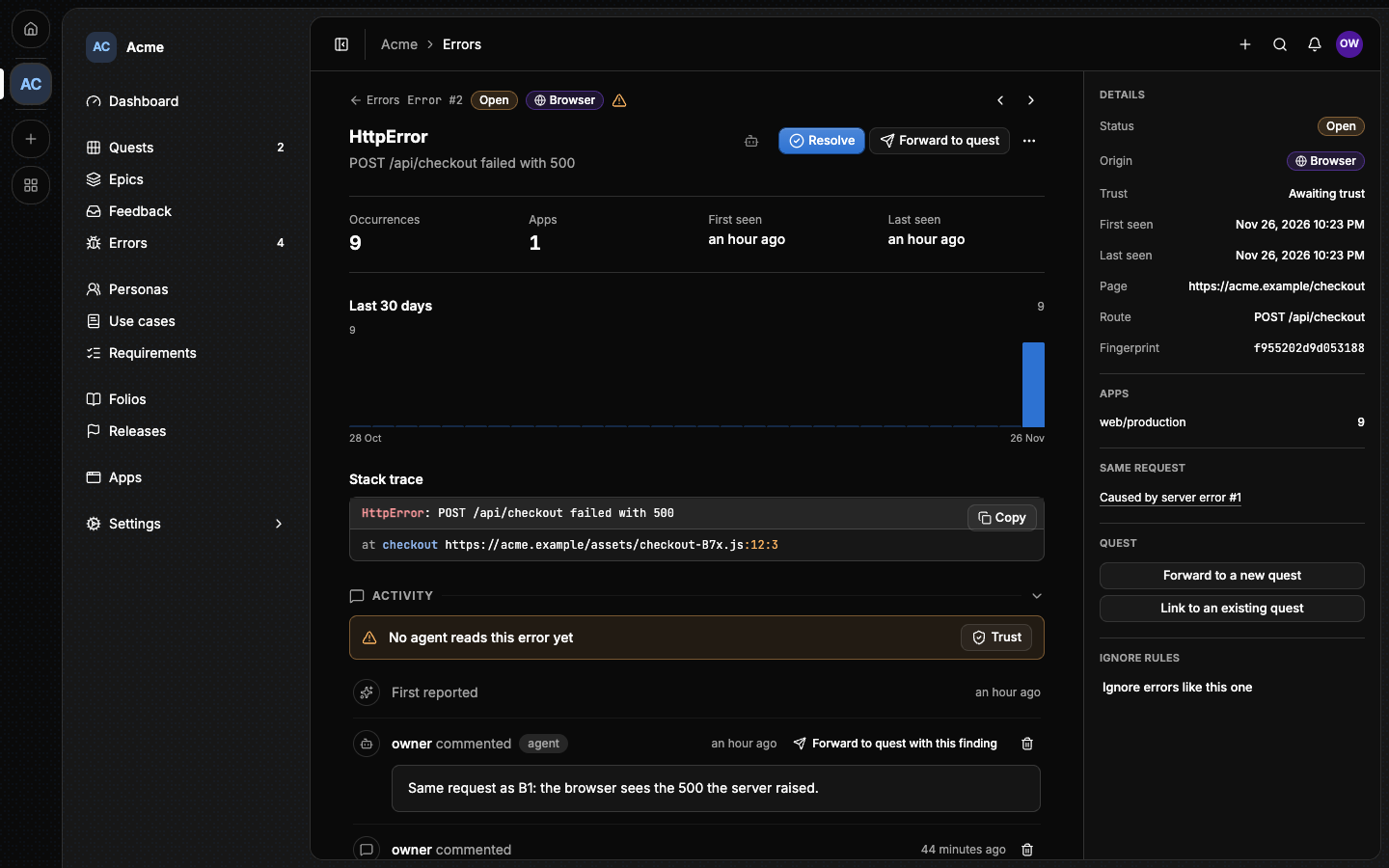
Trust is given from a signed-in session only. No agent, no API key and no command can trust an error: the rule is that a person reads the text first. Withdraw trust closes the error to agents again. Members read and comment on an untrusted error as on any other.
#Asking an agent
With the Prompts capability on, an error's page has a robot button: the prompts pinned to the Error view. Investigate error comes pinned there. See Prompts for Copy, Run and Agent hosts.
A run of Investigate error reads the error, opens the code its stack names, and answers with a comment on the thread: the likely cause, the evidence and a proposed fix. While it runs, the thread says An agent is investigating, with a link to the job.
When the agent judges a fix is needed, it files a quest carrying its finding and forwards the error to it. It does so only if the member who started the run may triage errors; otherwise its comment is the whole answer, and it says that a member who may triage can forward the error. It never changes code, and never resolves, trusts or deletes an error. Its key reaches that one error and no other.
You can also act on an agent's comment yourself: Forward to quest with this finding, on the comment, creates the quest with the agent's text under the error's own.
On an error awaiting trust the robot button is greyed out, and says why.
#Seen again since resolved
Resolving is a decision, and Lore does not undo it: when an app reports a resolved error again, the error stays resolved. But it says so. The inbox marks it Seen again, and its page says Seen again since resolved on with the date of the resolve. Pick Seen again in the Status filter to list the fixes that did not hold.
An error resolved and silent since carries no mark. Neither does one resolved before Lore kept the date of a resolve.
Two kinds of error do reopen by themselves, because Lore knows when they are over:
- An outage (
UptimeOutage, one per monitor): recovery resolves it, and the next outage of that monitor reopens it. - A use case run error (
CriterionFailed, one per criterion): a passing run resolves it, and the next failing run reopens it.
Once forwarded to a quest, either stays with its quest: a recovery or a passing run changes nothing, and the quest is where it is followed.
#How long errors are kept
Open errors are purged after the project's retention window, 30 days by default, counted from when they were last seen. Their thread goes with them. Resolved and forwarded ones are kept as a record. An error survives the deletion of the sigil that reported it.
To know whether a failure is still happening, read the instance's Errors tab, or the error's Last 30 days: an error is one decision for the whole project, while occurrences are counted per app and per day.
#From the command line
lore error list                      # the open inbox
lore error get 42                    # one error whole, thread included
lore error comment add 42 --body "Started with this morning's deploy."
lore prompt run investigate-error --error 42
lore error resolve and lore error forward triage from a shell. The full
list is in The lore CLI.
#From an agent
| Tool | What it does |
|---|---|
error_list |
The open errors an agent may read; include_resolved for the rest. |
error_get |
One error whole: its apps, its quest, its 30 days and its thread. |
error_comment_add |
A comment on its thread, marked as an agent's. |
error_resolve, error_forward |
Close an error, or turn it into a quest, new or already filed. |
Trusting, deleting and managing ignore rules have no tool. See MCP tools.
#Next
- Telemetry: wire an app so it reports its errors.
- Healthchecks: the monitors whose outages land here.
- Prompts: run an agent on an error.
- Quests: where a forwarded error becomes work.